
If you are an operator of trade or business (T:mi), an agricultural/forestry operator, select Manage your tax matters in MyTax. When you start with Manage your tax matters, you can access all your tax affairs. Read more: New in MyTax
Submitting a bank account number — money orders
The Tax Administration needs your bank account number for sending you a refund.
This means that you should let the Tax Administration know your bank account number if you are a new taxpayer in Finland, for example, getting a refund for the first time. Likewise, if you have been a client of one Finnish bank for some time, but you have recently changed over to another bank, your bank information on our records will have to be corrected.
If you haven't informed us of a bank account number, we will send the refund in the form of a money order or a "cheque".
How to submit a bank account number
When you submit your account number in MyTax, it will get updated without any delays. Please note that you cannot submit a bank account number by phone.
-
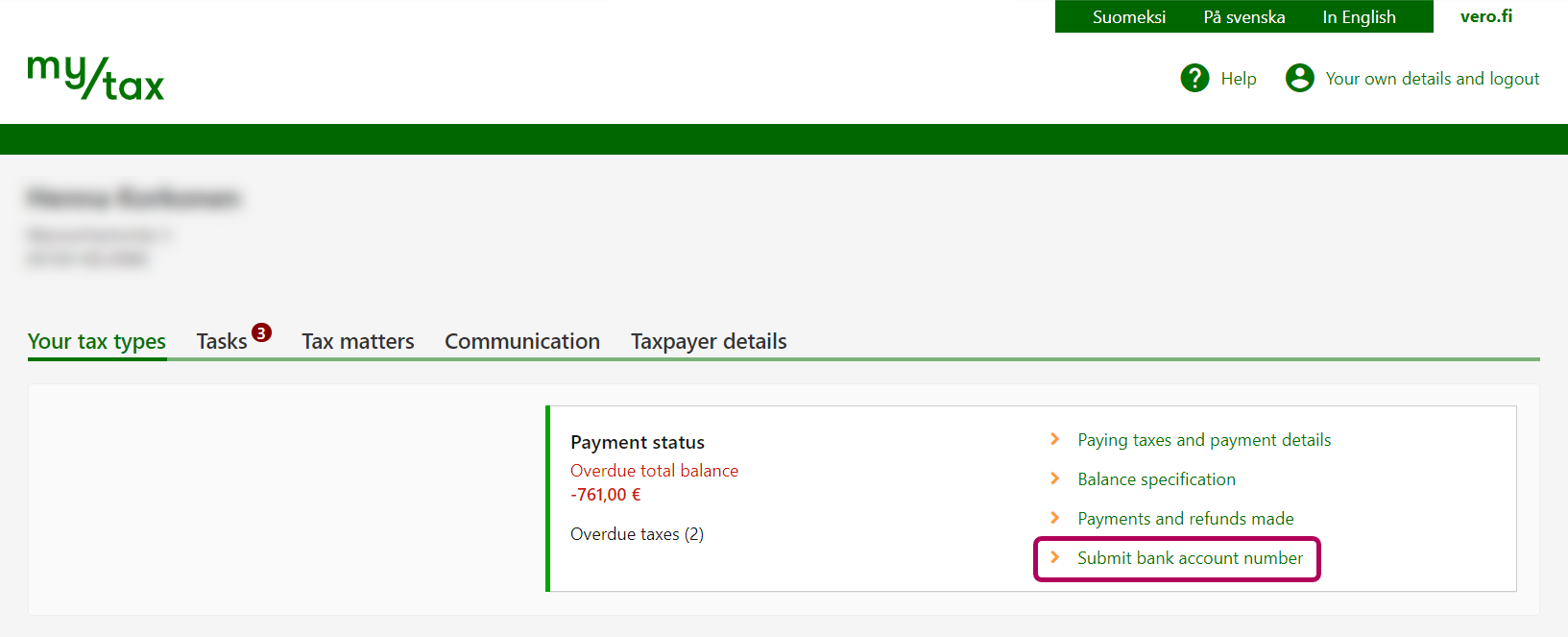
On the home page, click the Submit bank account number link under Payment status.
-
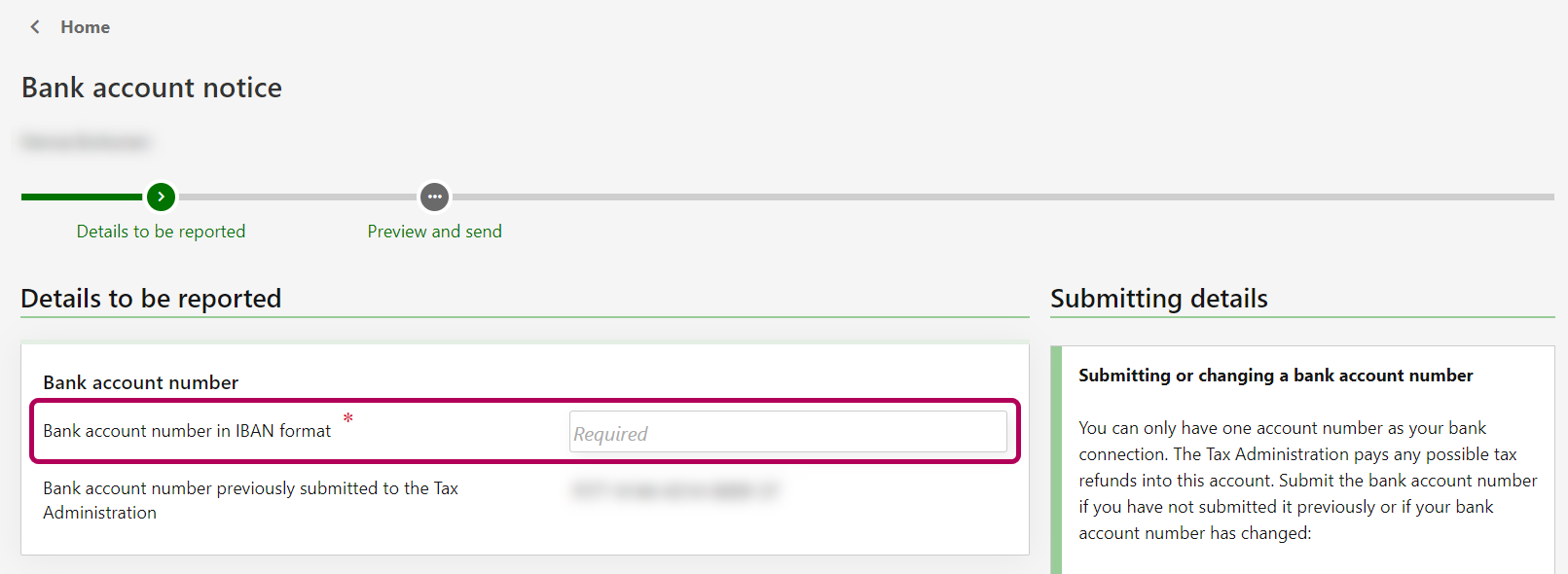
Enter the account number in the section Bank account number in IBAN format.
-
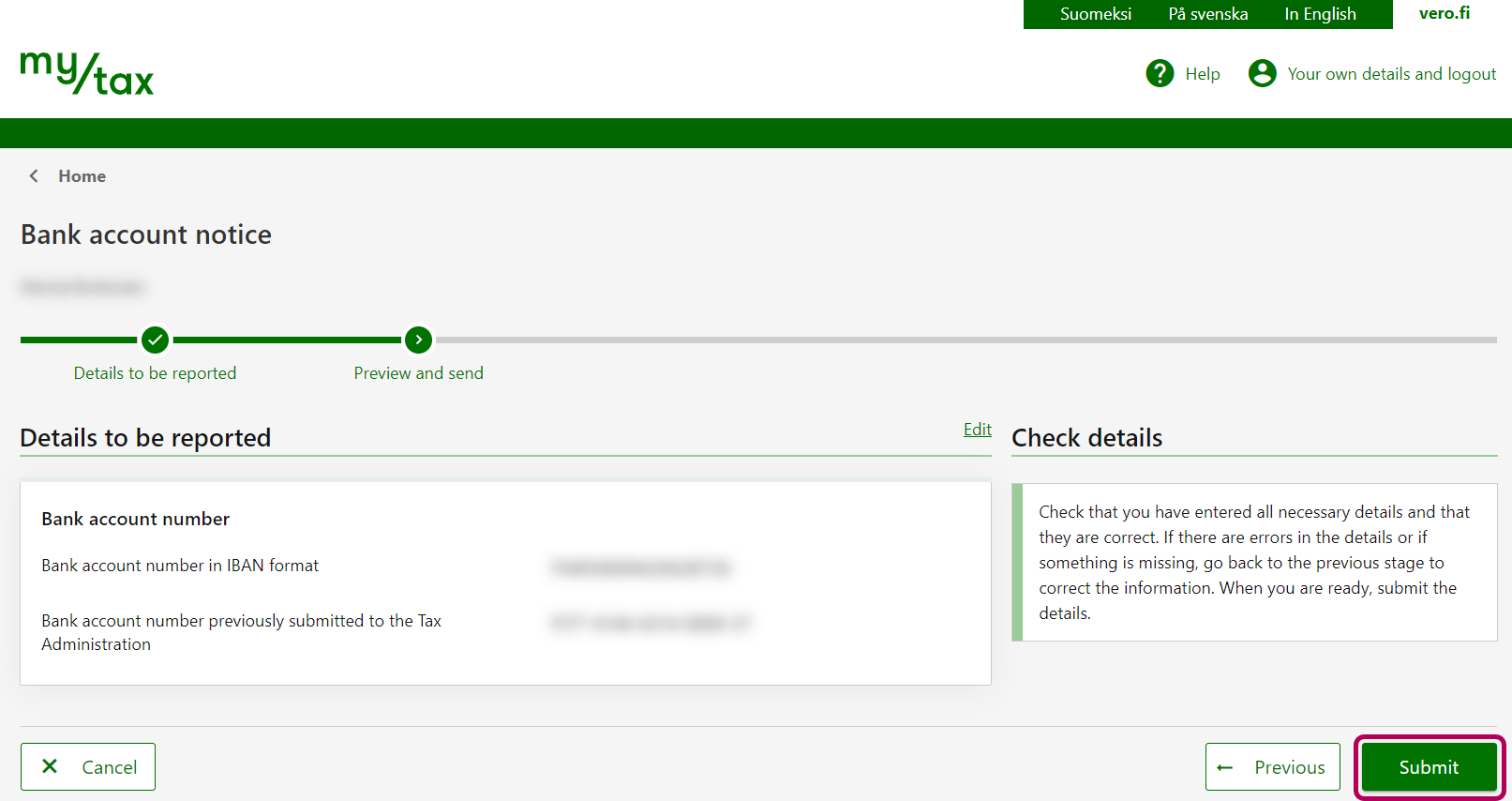
Stage Preview and send: Check that the details are correct. Finally, click Submit.
-
The new bank account number is displayed in your details straight away.
-
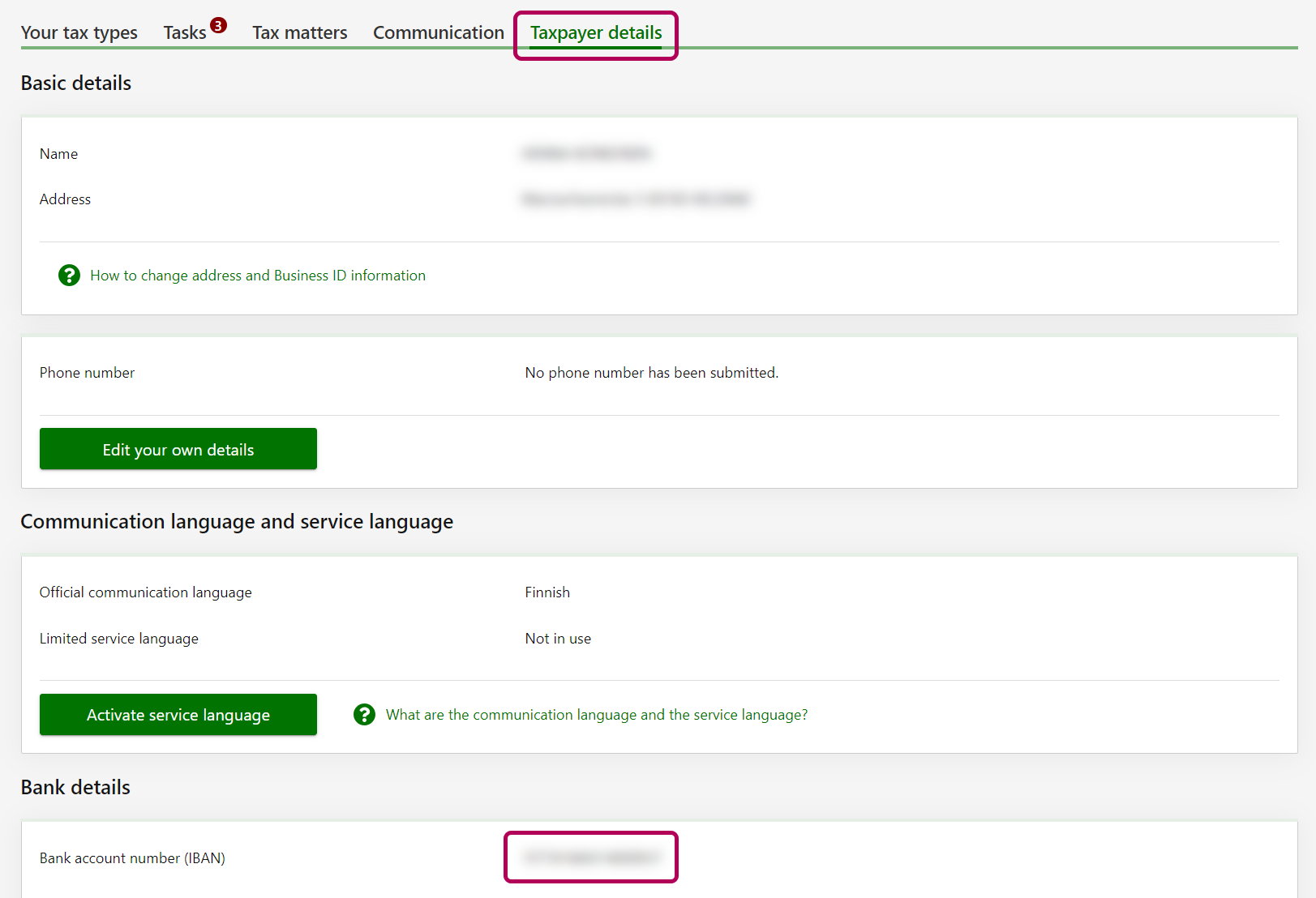
If you wish, you can choose that the account number can be changed only by a person who has logged in to MyTax. If you do so, the account number cannot be submitted on paper. First select Taxpayer details, and then scroll down to Setting security restrictions on the use of Tax Administration services. Then select Change the restrictions and finally select Reporting details permitted in MyTax only.
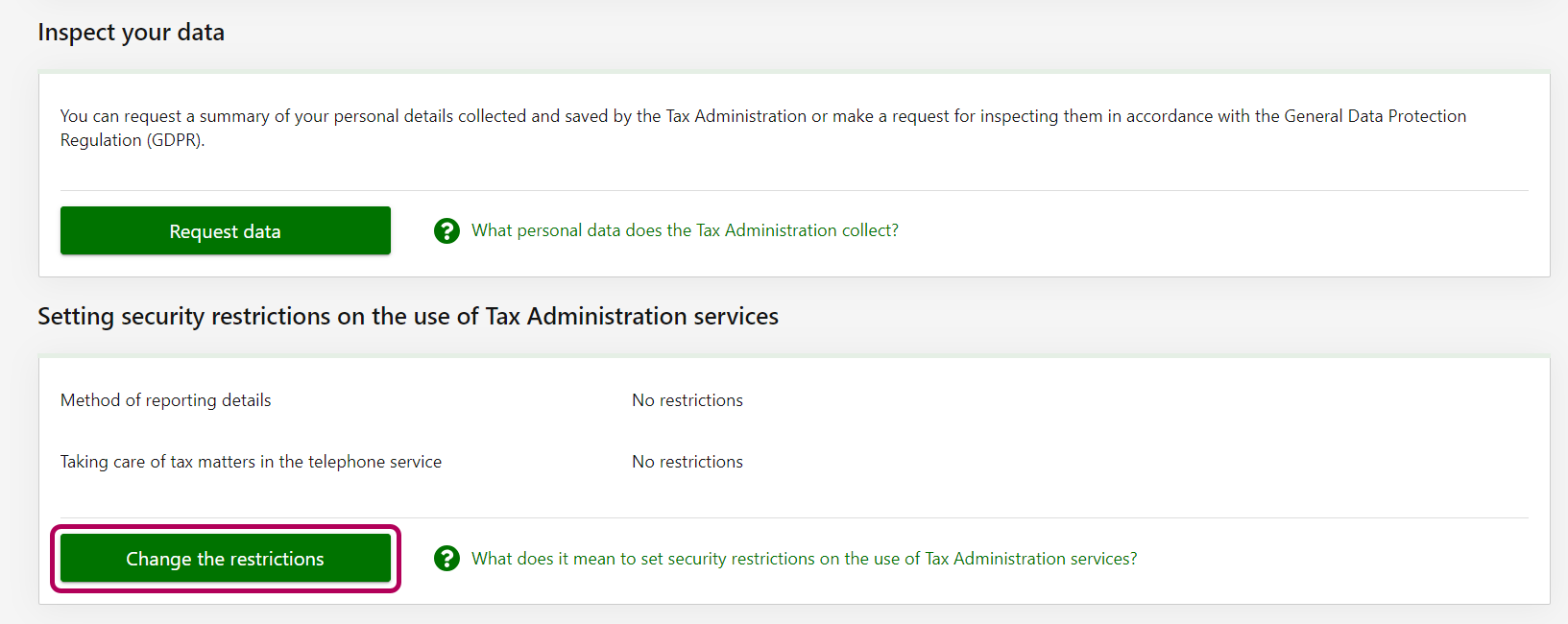
MyTax has a setting that your bank account number can be changed only by a person who has logged in to MyTax. If you choose this setting, the account number cannot be submitted on paper.
- Go to MyTax and select Taxpayer details.
- Scroll down to Setting security restrictions on the use of Tax Administration services.
- Select Change the restrictions.
- Under Method of reporting details, select Reporting details permitted in MyTax only.
- Click Next.
- Re-check the changes you made and click Submit.
Individual taxpayers continue to have the option to use a paper form. If you choose to do so, please make sure to send the form early enough, so it will reach the Tax Administration in time.
The paper form to use is the Individuals’ Bank Account Notice Form (7208). For detailed instructions, see the Forms page for Form 7208e. Complete the form, authorise it with your signature, and send it to the address stated on its first page.
For additional guidance and updates, the Tax Administration has released special instructions concerning the bank account numbers of estates of deceased persons, clients under private guardianship, companies and other corporate taxpayers:
MyTax allows you to submit the bank account number of your child
If you have a child under 18 years of age, and you are the child’s parent or guardian and you need to submit the child’s bank account number, you can use MyTax to take care of it. After signing in, select Act on behalf of someone else. To send the child’s bank information to the Tax Administration, follow the instructions for How to submit a bank account number in MyTax.
If your child under 18 has e-bank security codes or a mobile certificate, your child can submit the bank account number.
Deadlines for informing the Tax Administration of bank account numbers for tax refunds
| Scheduled refund date | Deadline to submit bank account number in MyTax | Deadline to submit bank account number on the completed form |
|---|---|---|
| 3 July 2026 | 26 June 2026 | 12 June 2026 |
| 3 August 2026 | 27 July 2026 | 13 July 2026 |
| 3 September 2026 | 27 August 2026 | 13 August 2026 |
| 5 October 2026 | 28 September 2026 | 14 September 2026 |
| 3 November 2026 | 27 October 2026 | 13 October 2026 |
| 3 December 2026 | 26 November 2026 | 12 November 2026 |
Various money orders
If the Tax Administration does not have your bank account number on record, we will write out a money order. This is often also called a cash delivery and it means that the refunds to those taxpayers will be distributed through Nordea Bank. To create a money order requires that you have a postal address in Finland.
After receiving the letter containing the money order, there are two alternative options:
- Submit your bank account number in MyTax. After that, you can just ignore the money order. The sum of the money order will remain in Nordea for 28 days before Nordea returns it to the Tax Administration. After we receive it, you will need to wait for approx. one week, and then we can transfer the refund to your bank account.
- Visit Nordea Bank to redeem the money order. Visit Nordea’s website to read instructions for redeeming it.
Refunds below €15 will not be paid by money order. If you know that your upcoming tax refund is a low amount and you still want the bank to deliver it to you, please contact our taxpayer service.