
If you are an operator of trade or business (T:mi), an agricultural/forestry operator, select Manage your tax matters in MyTax. When you start with Manage your tax matters, you can access all your tax affairs. Read more: New in MyTax
How to file a transfer tax return in MyTax
You can find the details needed for completing the return in the deed of sale or other contract you have made.
Log in to MyTax (opens in a new window)
Do as follows
-
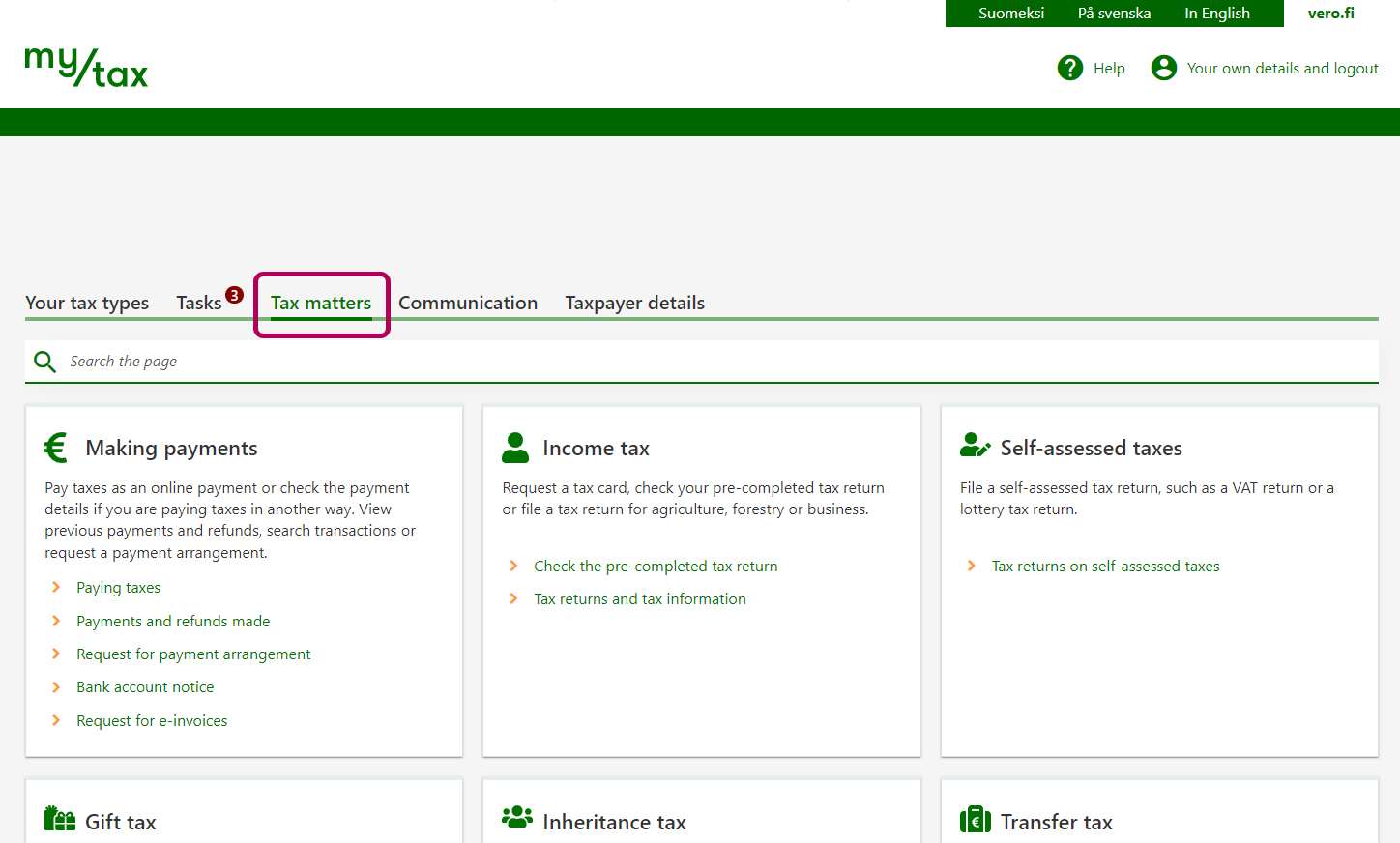
Open the Tax matters tab on the home page.
-
Click File a transfer tax return in the Transfer tax section.
-
The process has 4 stages. You can see them in the breadcrumb trail at the top of the page.
Stage Agreement details:
- Report the date when the deed of sale or other contract was signed.
- Select the asset types that have been acquired with the same contract.
- Scroll down and select the type of the contract, which may be a sale, a distribution of inheritance, or other type. No selection of the type of the contract is needed if you acquired immovable property only.
If you wish to continue filling in the details later, click Save as unfinished at the bottom of the page. Data saved as unfinished will be stored for 3 months. The Tax Administration will not process the information until you have submitted it.
-
Stage Property details:
- Click Add new property. If the sale includes several properties, e.g. two apartments, first enter the details on one of them.
- A new window opens. Enter details on the property you have bought. Scroll down to see more fields to fill in. If you have purchased the property together with someone else, only enter the part of the price and other compensation that you have paid. Each buyer must file their own transfer tax returns.
- At the bottom of the page, you can see the calculation of transfer tax and the due date. They will be included in the transfer tax return even if you have already paid the tax. Once everything is correct, click OK.
- Note: If you have bought a real estate unit, the transfer tax return will initially include an estimated due date, which is 6 months from the date of purchase. If you request title registration before that date, the due date will change. The final due date will be the date when you requested title registration.
- If you have also purchased other assets, you can report their details by clicking Add new property.
-
Stage Additional information:
- Your details are shown under Contact details of person giving further information if they exist in the Tax Administration records. If someone else provides further information about the return, enter their contact details.
- In this stage, you can see whether any attachments are required. If you want to add attachments, click Add file.
- If you receive your tax mail on paper, select the delivery method for the transfer tax certificate. This selection is not shown if your tax mail only comes electronically to MyTax.
-
Stage Preview and send:
Check the details on the transfer tax return. If necessary, you can make further changes by clicking Edit.
Once all the details are correct, click Submit.
-
After you have submitted the return, you will get an acknowledgement of receipt.
If you have not yet paid the transfer tax, move on to make the payment by clicking Pay now.
Alternatively, you can pay the tax later in your online bank. Check your transfer tax reference number and the Tax Administration bank account number in MyTax.
After you have filed and paid the transfer tax, you will receive a certificate of the transfer tax in MyTax. This usually takes about 2 working days. Finding the certificate in MyTax.


Frequently asked questions
The party who is indicated as the seller in the deed of sale should be reported as the seller.
Enter the details in the transfer tax return that are available in the deed of sale. For example, if you do not know the seller’s personal ID or Business ID, you can enter just their name.