If you are an operator of trade or business (T:mi), an agricultural/forestry operator, select Manage your tax matters in MyTax. When you start with Manage your tax matters, you can access all your tax affairs. Read more: New in MyTax
How do I find the certificate of transfer tax in MyTax?
After you have filed and paid transfer tax in MyTax, you will receive a certificate of the transfer tax in MyTax. This usually takes about 2 working days. You will also receive a certificate when you have bought your first home.
When the certificate is ready, you can open it through the details on the transfer tax or in the MyTax mailbox. If Your tax types tab does not show transfer tax, please log in to MyTax again. If you have filed your transfer tax return on paper, wait for the certificate of transfer tax to become available in MyTax.
Note: You cannot view the return in MyTax if you have submitted it before November 2019, with the old paper form. Read more: As I remember, I already submitted my transfer tax return. So why can’t I see my payment or transfer-tax form in MyTax?
Do as follows
Log in to MyTax (opens in a new window).
-
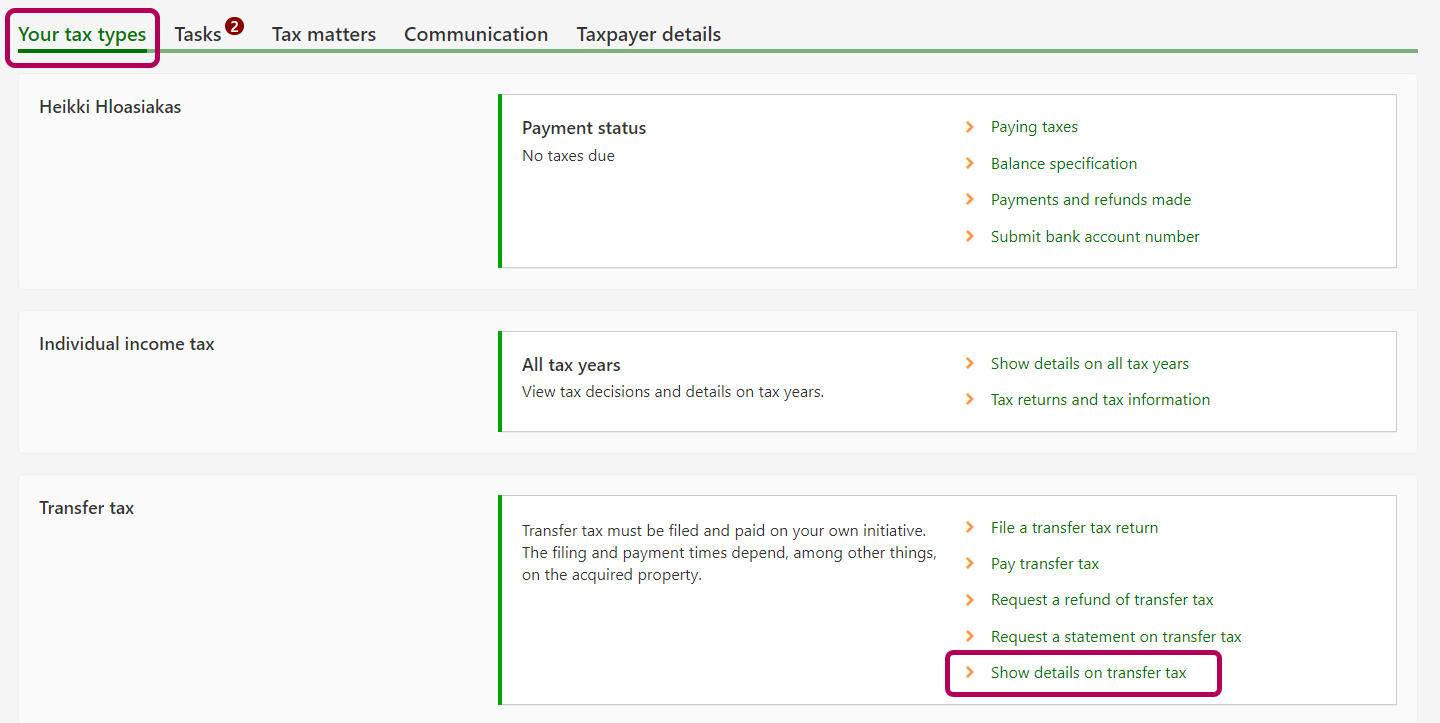
Open the tab Your tax types on the home page. Go to the Transfer tax section and click Show details on transfer tax. If Your tax types tab does not show transfer tax, please log in to MyTax again.
-
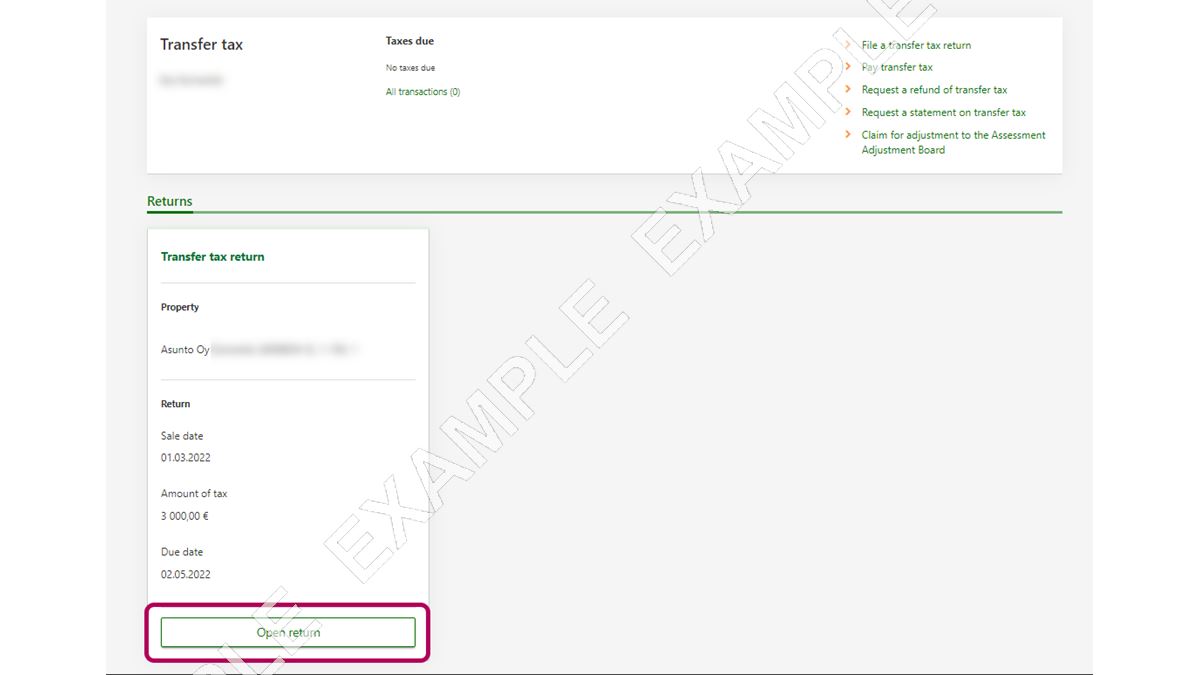
The Transfer tax page includes all the transfer tax returns you have filed. Select the return to which the certificate you need is related. Click the Open return button.
-
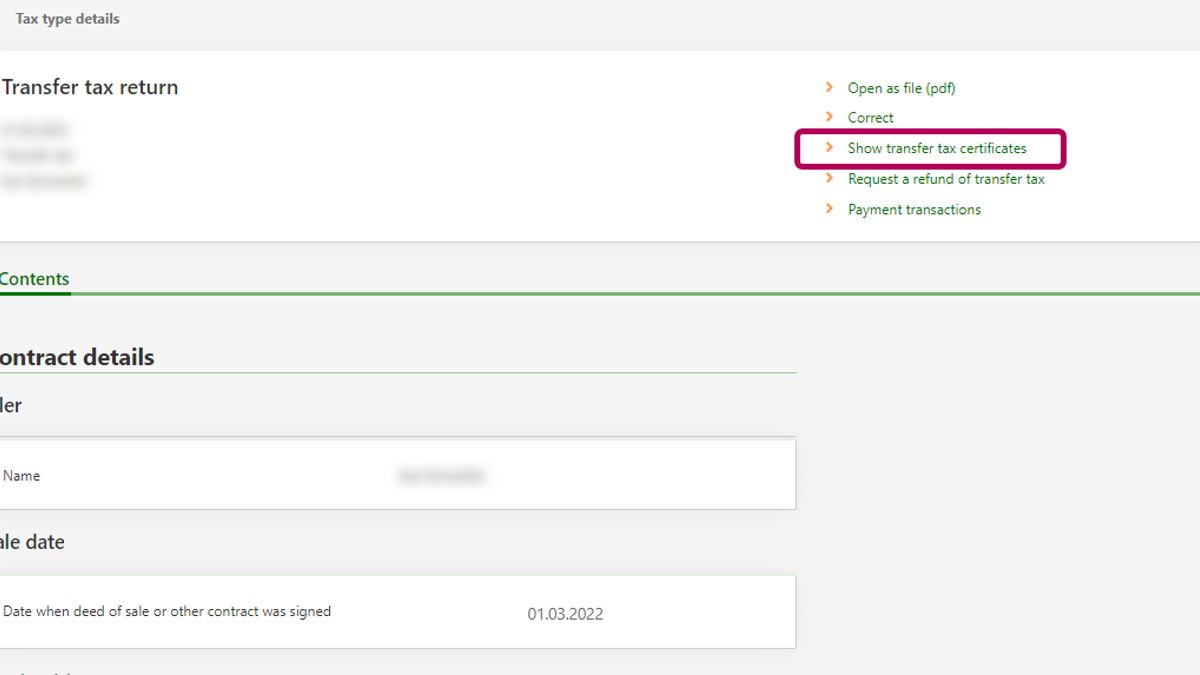
Select the Show transfer tax certificates link at the top of the page
-
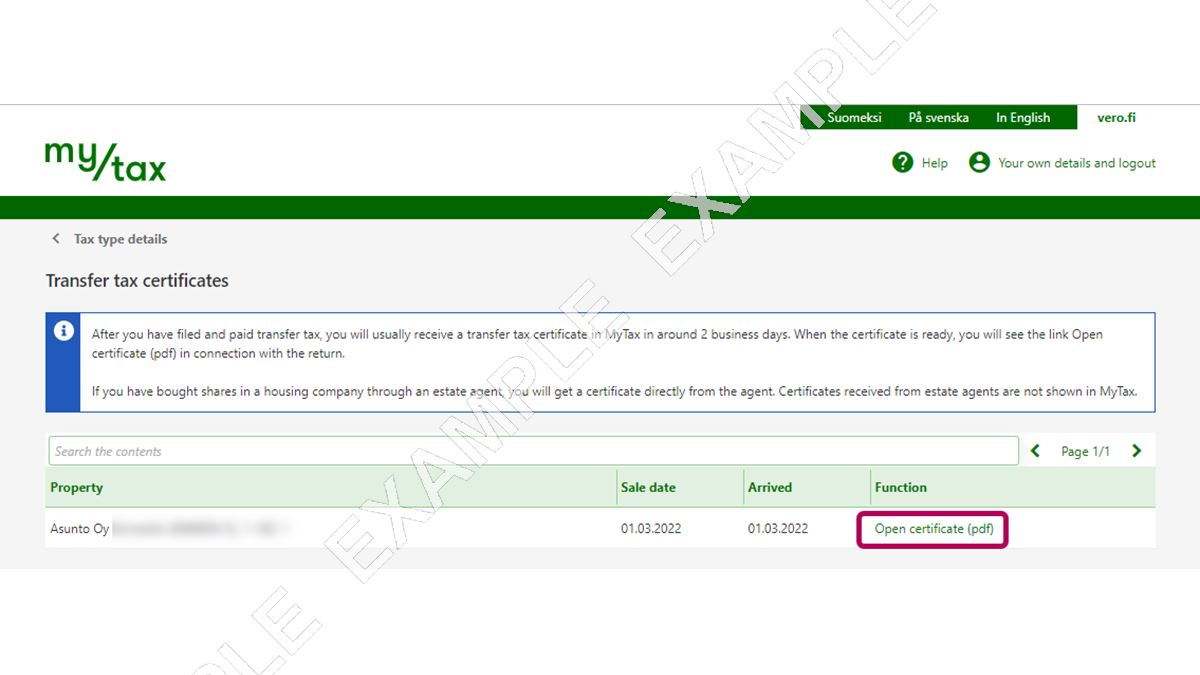
When the certificate is ready, you can open it by clicking the Open certificate (pdf) link. If the certificate is not yet available in MyTax, a notification saying “Certificate has not arrived yet” is displayed.
-
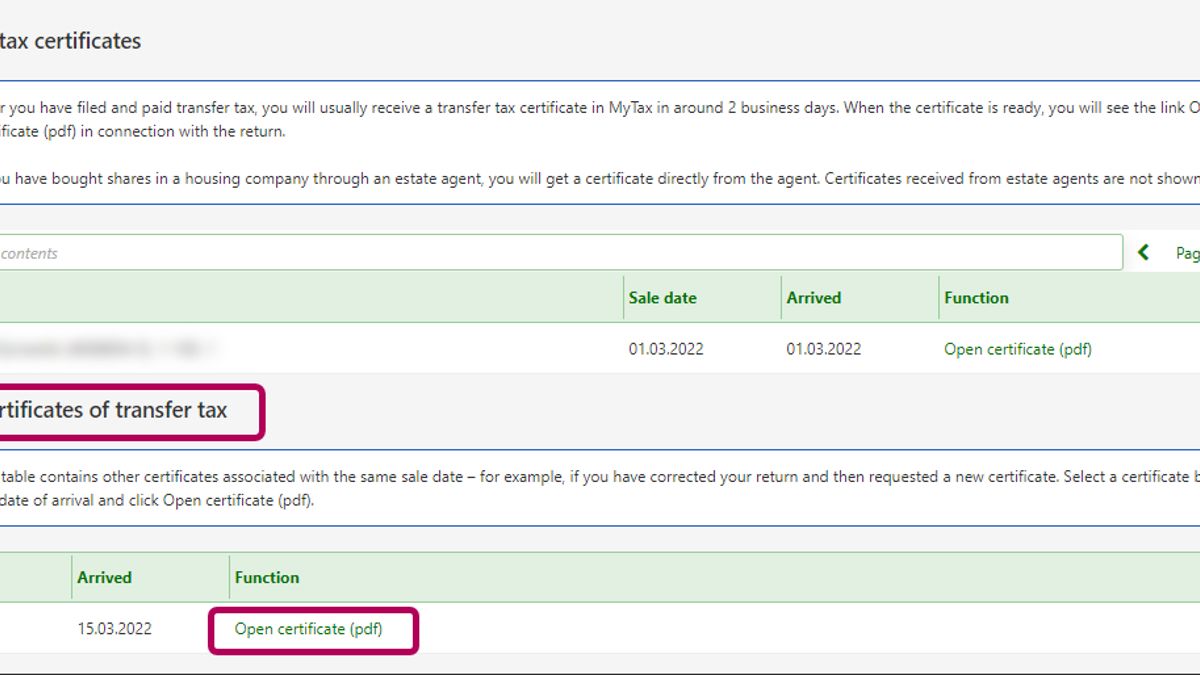
If you have requested a new certificate, after having made corrections for example, you can see the certificate under Other certificates of transfer tax. Select the certificate based on the date of arrival and click Open certificate (pdf).
Alternatively, you can also do as follows
-
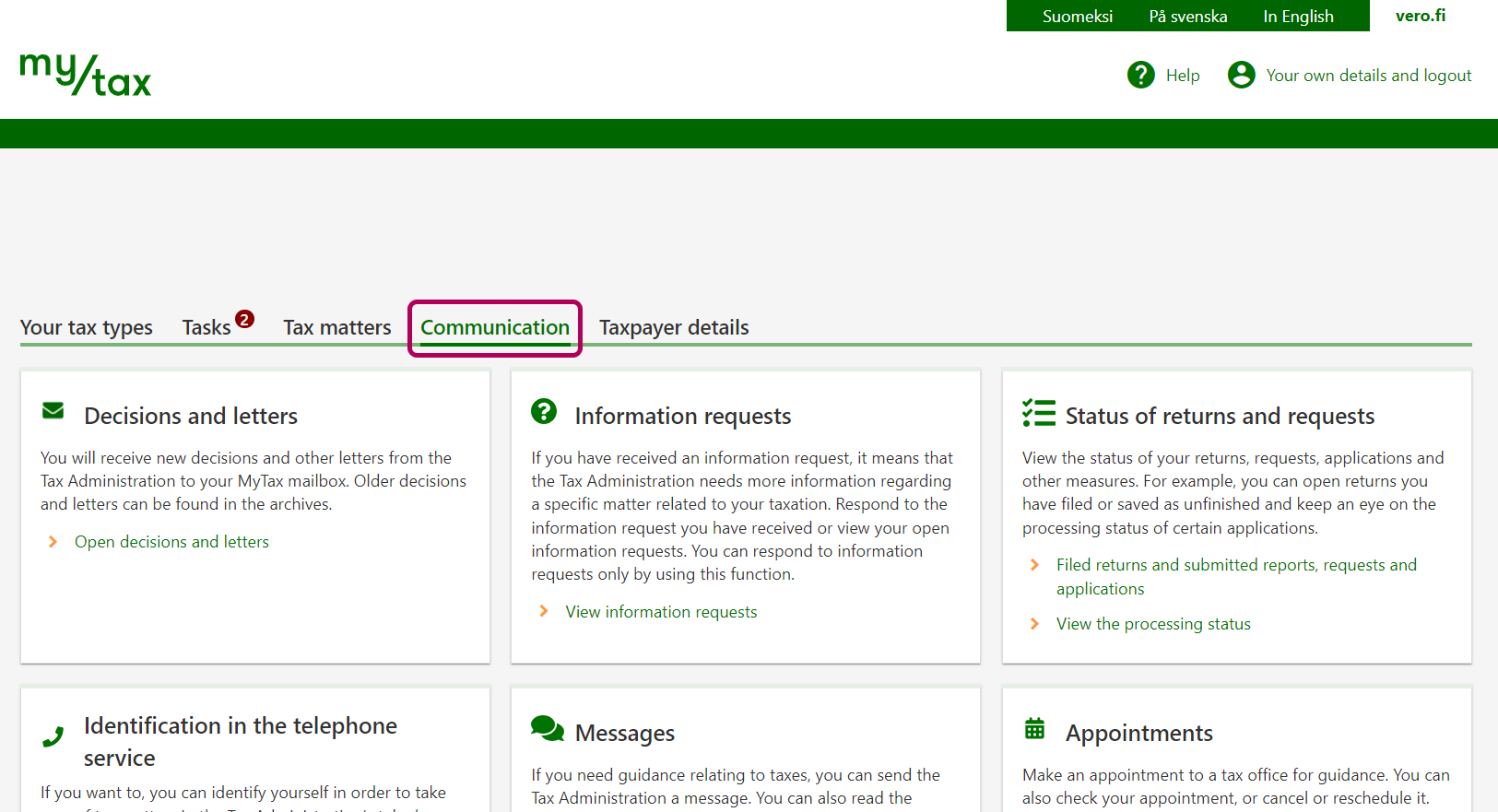
Select the Communication tab.
-
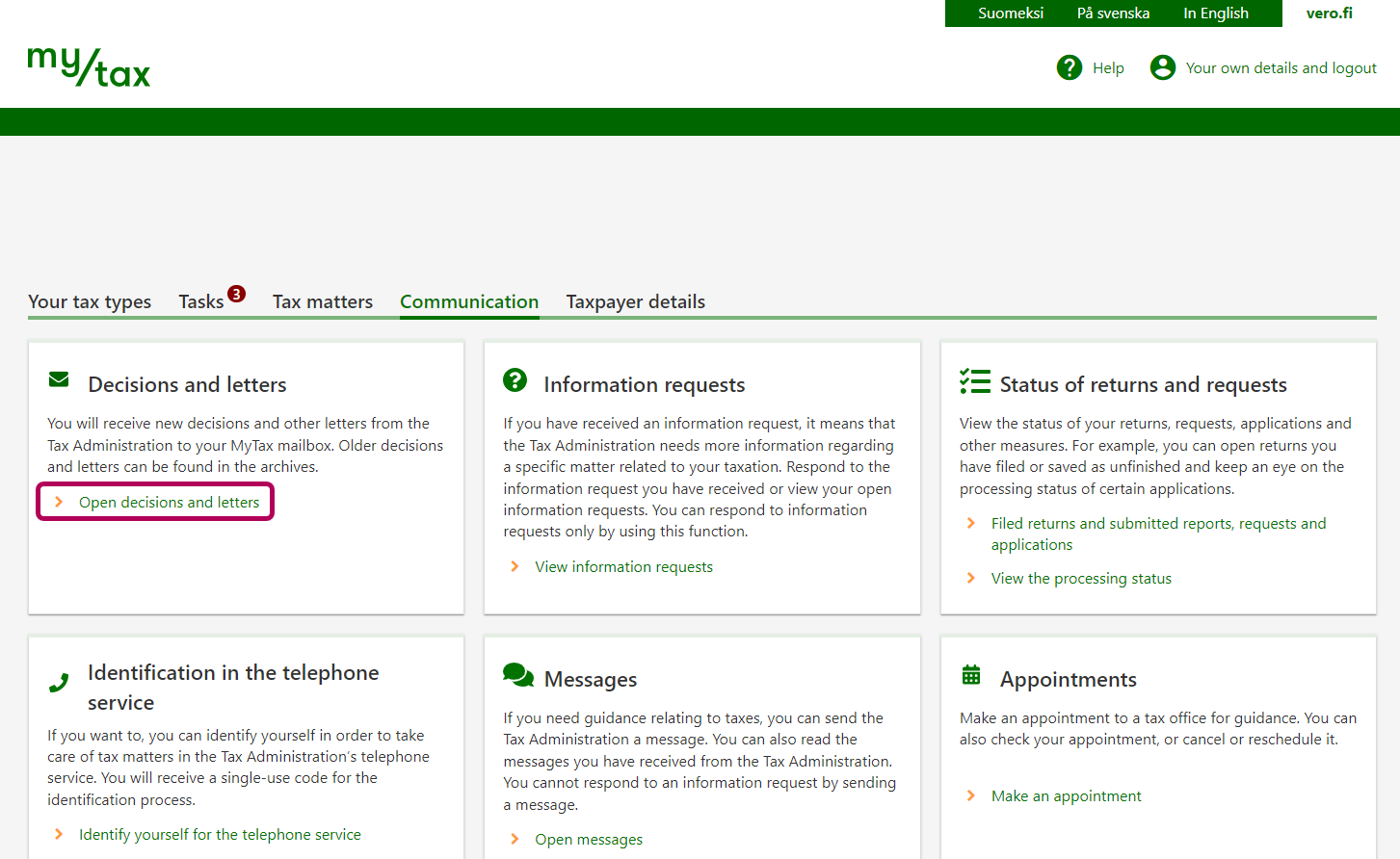
Click the Open decisions and letters link under Decisions and letters.
All read certificates in the mailbox as well as all certificates under Stored are archived after one year.
-
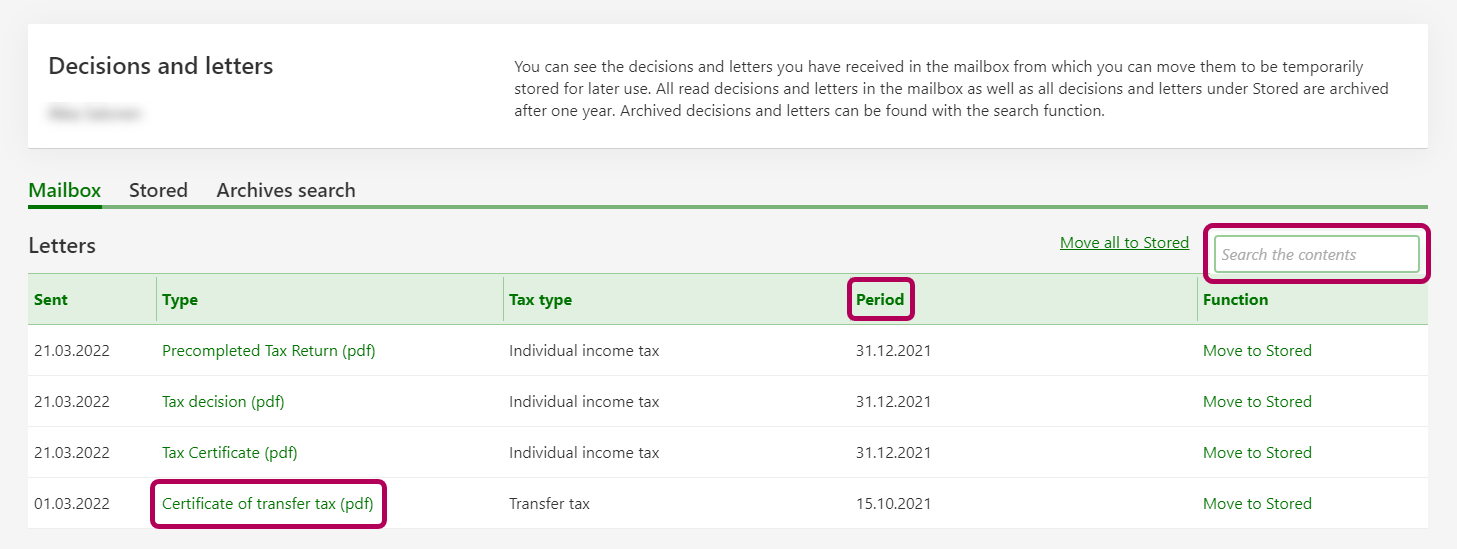
If you have received multiple certificates of transfer tax, you can identify them by the sale date. The sale date is shown in the Period column.
If you are looking for a certificate from a specific date, do as follows: Write the date of the sale (e.g. 01.03.2021) in the Search the contents field and press Enter.