If you are an operator of trade or business (T:mi), an agricultural/forestry operator, select Manage your tax matters in MyTax. When you start with Manage your tax matters, you can access all your tax affairs. Read more: New in MyTax
How to find saved and submitted returns, requests and applications in MyTax
You can check that the returns, requests and applications you have submitted in MyTax have been received. On the same page, you can also find the returns, requests and applications that you have saved as unfinished.
If you have saved returns, requests or applications as unfinished
- pre-completed tax returns are stored for 2 weeks
- tax card and prepayment requests are stored for 1 month
- other returns are stored for 3 months.
Log in to MyTax (opens in a new window).
Do as follows in MyTax
-
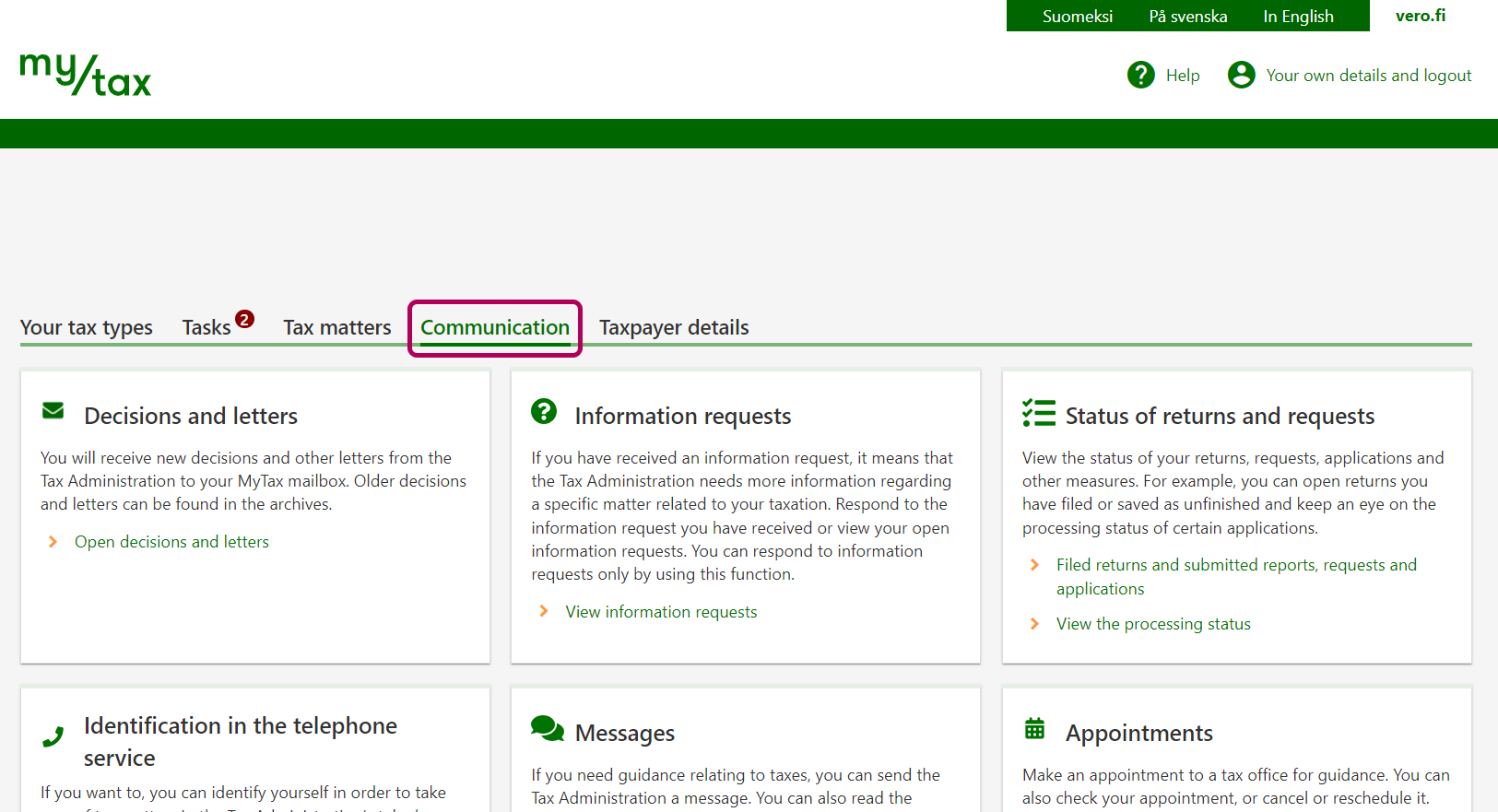
Select the Communication tab.
-
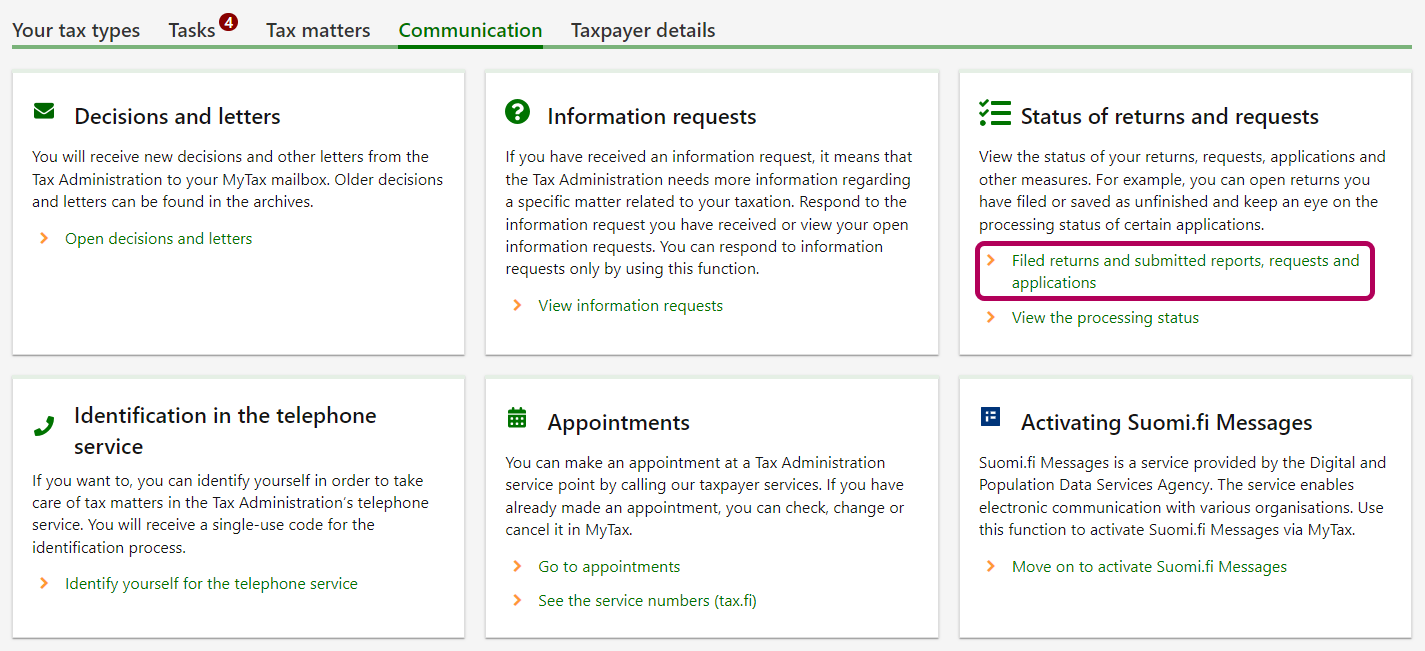
Select Filed returns and submitted requests and applications under Status of returns, requests and applications.
-
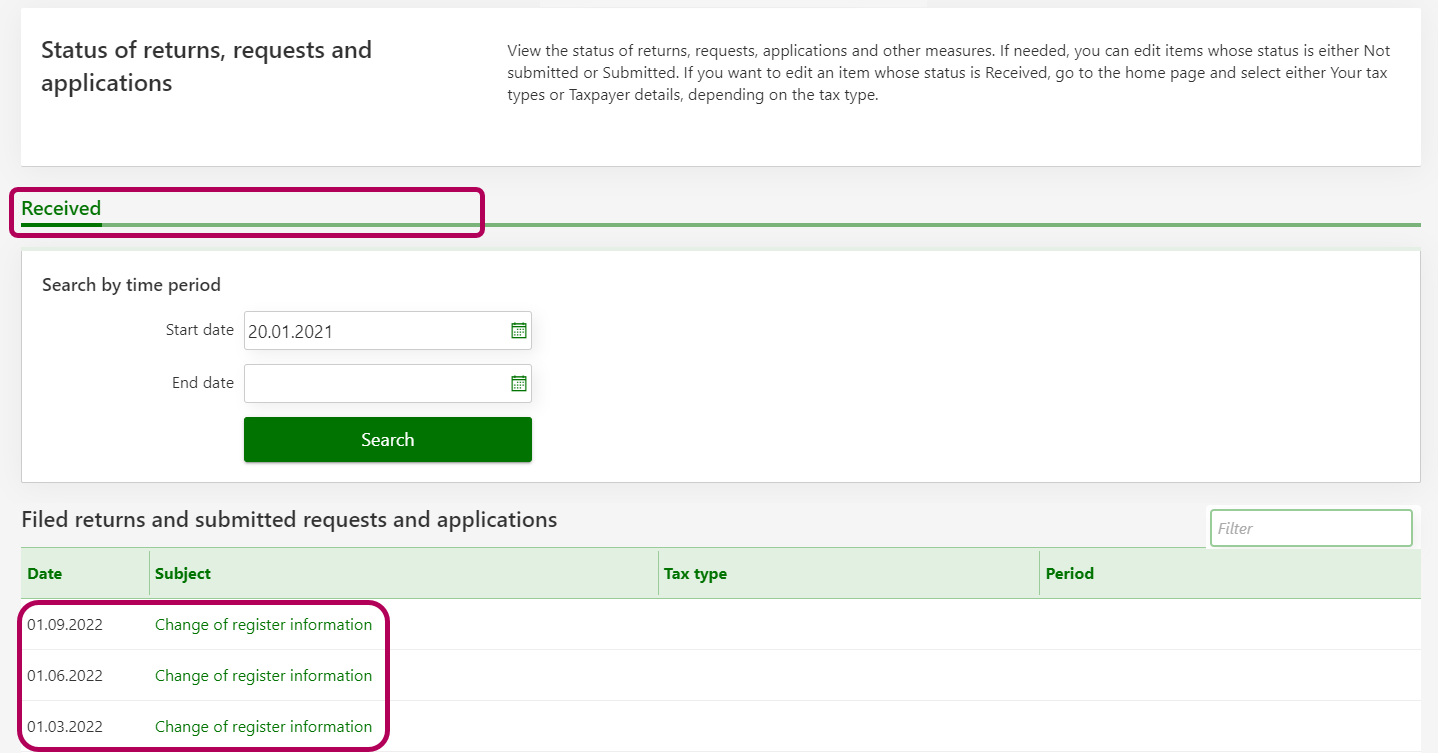
- If you have saved a return, a request or an application as unfinished, you can see it on the Not submitted tab.
- If you have only just submitted a return, a request or an application, you can see it on the Submitted tab.
- When your return, request or application has been received, you can see it on the Received tab.
The Received tab is always displayed. The other tabs become visible only when there are returns, requests or applications on them.
The status of your return, request or application will usually change into Received on the next business day after submission.
On the Received tab, you can find all the returns, requests and applications you have submitted over the last 12 months. In order to find returns, requests and applications that are over 12 months old, you need to use the search function.